Treat it like onboarding a new hire, not a legal memo nobody reads
Table of contents
- Treat it like onboarding a new hire, not a legal memo nobody reads
- What Is an AI Acceptable Use Policy?
- Why Most AI Acceptable Use Policies Get Ignored
- Govern AI Like You Hire: A Better Frame for the Policy
- The 5 Components Every AI Acceptable Use Policy Needs
- 6 Pitfalls That Turn an AI Policy Into Shelfware
- How to Write an AI Acceptable Use Policy: A 6-Step Approach
- What About AI Agents?
- Frequently Asked Questions
- Build a Policy Your Teams Will Actually Use

Treat it like onboarding a new hire, not a legal memo nobody reads
An AI acceptable use policy is a short internal document that tells employees which AI tools they can use, what data those tools can touch, and when a human has to review or approve the output. The best ones work less like a legal disclaimer and more like the onboarding a new hire gets on day one: clear access, clear limits, and a clear person to ask. Most organizations already have one. The harder question is whether anyone follows it.
What Is an AI Acceptable Use Policy?
An AI acceptable use policy (often shortened to AI AUP) sets the rules for how people inside an organization use artificial intelligence at work. It typically covers generative AI assistants, AI features embedded in existing software, and increasingly, AI agents that take actions on someone’s behalf. A traditional acceptable use policy for IT systems is mostly a list of prohibitions: don’t install unapproved software, don’t share passwords, don’t use company devices for illegal activity. An AI acceptable use policy has to do more than that, because AI tools are useful in ways a password manager never was. If the policy only says no, people find a way to say yes on their own. A working AI acceptable use policy answers five practical questions:
- Which AI tools are approved, and for whom?
- What data can go into them, and what can’t?
- What kinds of work are encouraged, allowed with review, or off limits?
- Where does a human have to check or sign off on AI output?
- Who owns the policy, and how does someone ask for something new?
If an employee can answer those five questions from memory, the policy is doing its job.
Why Most AI Acceptable Use Policies Get Ignored
The gap between the policy on file and what people actually do is wide. Microsoft and LinkedIn’s 2024 Work Trend Index found that 75 percent of knowledge workers were already using generative AI at work, and 78 percent of those AI users were bringing their own AI tools rather than waiting for company-provided ones. \[SOURCE: Microsoft and LinkedIn, “AI at Work Is Here. Now Comes the Hard Part” (2024 Work Trend Index), May 8, 2024 \- https\://www\.microsoft.com/en-us/worklab/work-trend-index/ai-at-work-is-here-now-comes-the-hard-part\] The same report found that only 39 percent of people using AI at work had received any AI training from their company. \[SOURCE: Microsoft and LinkedIn, “AI at Work Is Here. Now Comes the Hard Part” (2024 Work Trend Index), May 8, 2024 \- https\://www\.microsoft.com/en-us/worklab/work-trend-index/ai-at-work-is-here-now-comes-the-hard-part\] Put those numbers together and the picture is clear. People are using AI whether or not a policy exists, and most of them are figuring it out alone. The cost of that gap became public early. In 2023, Samsung restricted employee use of generative AI tools after staff uploaded sensitive internal source code to ChatGPT. The engineers involved weren’t acting maliciously. They were trying to get work done faster with a tool nobody had told them how to use safely. Policies get ignored for three predictable reasons:
- They are written for auditors, not employees. Twelve pages of legal language don’t survive contact with a Tuesday afternoon deadline.
- They only say no. A ban without a sanctioned alternative pushes usage onto personal accounts, where the organization has no visibility at all.
- Nobody owns them. When a question comes up that the policy doesn’t cover, there is no one to ask, so people guess.
Govern AI Like You Hire: A Better Frame for the Policy
A useful way to rethink the AI acceptable use policy is to treat each AI tool the way you would treat a capable new hire. Nobody hands a new employee the keys to every system on day one, and nobody locks them out of everything either. They get a role, access scoped to that role, a manager, a probation period, and a clear sense of which decisions they can make alone. The same structure maps cleanly onto AI:
| New hire onboarding | AI acceptable use policy equivalent |
|---|---|
| Job description | Approved use cases for each tool |
| System access by role | Tool access and data permissions by role |
| Confidentiality agreement | Data boundaries: what can and can’t go in |
| Manager review of early work | Human review points for AI output |
| Who to ask when stuck | Named policy owner and request path |
| 90-day check-in | Scheduled policy review |
This frame does two things. It makes the policy easier to remember, because everyone already understands onboarding. And it shifts the conversation from fear to fit: the question stops being “is AI dangerous?” and becomes “what is this tool’s job here, and what does it need access to do it well?” That shift is at the heart of healthy human AI collaboration.
The 5 Components Every AI Acceptable Use Policy Needs
1. Approved Tools and Access by Role
List the AI tools the organization has approved, the account type people should use (enterprise accounts, not personal ones), and which roles get access to what. A marketing team drafting campaign copy and a finance team reconciling accounts have different needs and different risk profiles. Uniform access is either too loose for one group or too tight for the other. Keep the approved list short and current. A stale list of tools that nobody uses anymore tells employees the policy isn’t maintained.
2. Data Boundaries
Data exposure is the failure that ends AI programs, so this section deserves the most precision. A simple three-tier model works well:
- Green: public information and general knowledge. Use freely in any approved tool.
- Yellow: internal but non-sensitive material, such as meeting notes or draft plans. Use only in enterprise-approved tools.
- Red: customer personal data, regulated records, credentials, material covered by confidentiality agreements, and in many organizations, proprietary source code. Never goes into an AI tool unless a specific, approved system has been set up for it.
Be concrete. “Use good judgment” is not a boundary. “Do not paste customer records or anything covered by a client NDA” is.
3. Use Cases: Encouraged, Allowed With Review, Prohibited
People follow examples faster than they follow principles. Instead of a single list of prohibited activities, sort real examples into three buckets:
- Encouraged: summarizing internal documents, drafting first versions of emails, brainstorming, reformatting data that’s already in the green tier.
- Allowed with review: anything customer-facing, anything that will be published, code that will ship to production, analysis that informs a financial decision.
- Prohibited: making final hiring or termination decisions with AI, generating content that impersonates a real person, entering red-tier data into unapproved tools.
The encouraged list matters as much as the prohibited one. It tells people the organization actually wants them to use these tools, which is the fastest way to pull usage out of personal accounts and into approved ones.
4. Human Sign-Off Points
Every AI acceptable use policy needs a clear statement of where a person has to check, edit, or approve AI output before it goes further. This is especially important as AI tools gain the ability to take actions, not just generate text. The OWASP Gen AI Security Project lists “excessive agency” as a top risk for AI applications and recommends requiring human approval for high-impact actions before they are taken. \[SOURCE: OWASP Gen AI Security Project, “LLM06:2025 Excessive Agency,” 2025 \- https\://genai.owasp.org/llmrisk/llm062025-excessive-agency/\] A practical way to write this section: name the actions that always need a human (sending external communications, committing code, changing customer records, spending money) and name the person accountable for that review. “Someone should check it” is not a sign-off point.
5. Ownership, Request Path, and Review Cadence
Name an owner, a person with authority to approve new uses quickly, not only a committee whose only power is to block. Many organizations give this role to an AI transformation leader or AI transformation lead who works in partnership with security and legal. Then publish a fast request path. If someone wants to try a new tool or use an approved tool on a new kind of data, how do they ask, and how long until they hear back? If the official path is slower than going around the policy, people will go around it. Finally, set a review cadence. AI tools change monthly. A policy reviewed once a year is out of date for most of that year. Quarterly reviews are a reasonable starting point for most organizations.
6 Pitfalls That Turn an AI Policy Into Shelfware
- Writing it in a closed room. A policy drafted only by legal and IT reflects their risks and misses how people actually work. The result is rules that don’t match reality.
- Banning everything by default. Blanket bans feel safe, but they push usage underground. The organization trades visible, manageable risk for invisible, unmanaged risk.
- Making it too long. One to three pages that people read beats twenty pages nobody opens. Link out to detailed security standards where needed, but keep the core policy short.
- Skipping the “why.” Rules without reasons get followed until they’re inconvenient. One sentence explaining why red-tier data stays out of AI tools does more than three sentences of prohibition.
- Launching without training. Publishing a policy is not the same as teaching it. Given how few employees report receiving AI training, a policy with no rollout session is mostly a document.
- Never revisiting it. A policy that still references last year’s tools tells people it isn’t maintained, and they stop checking it.
How to Write an AI Acceptable Use Policy: A 6-Step Approach
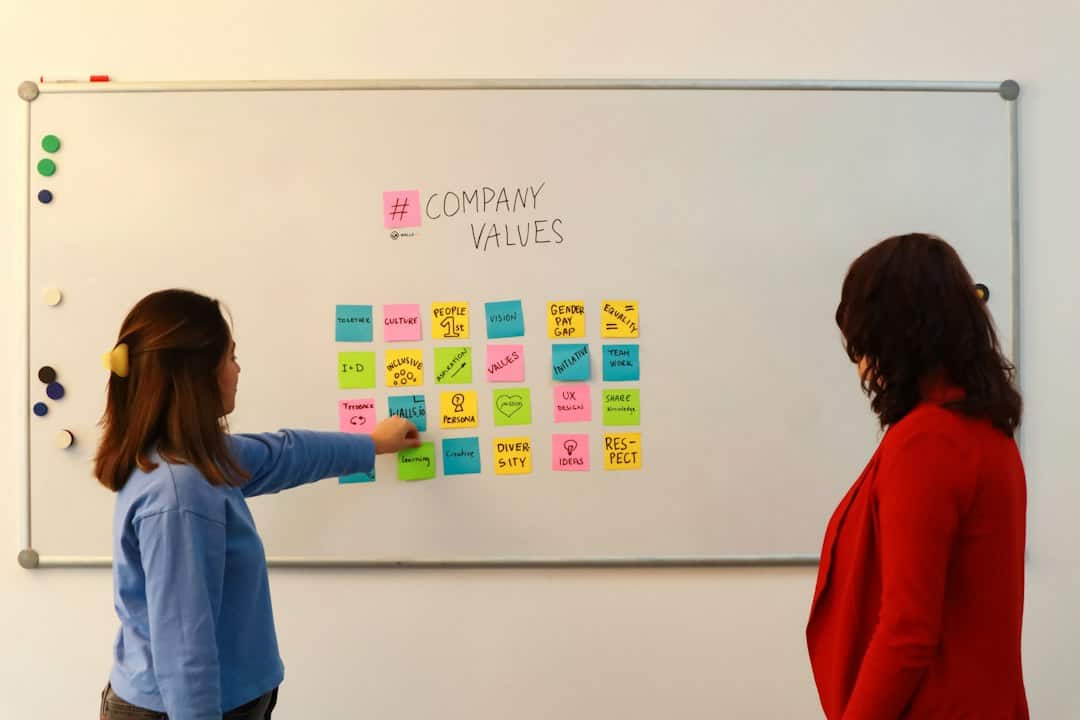
The fastest way to write a policy people actually follow is to write it with them. A facilitated working session, typically half a day with a cross-functional group, produces a stronger first draft than weeks of document review, because the people who will live under the policy surface the real use cases and the real risks in the room.
Step 1: Assemble a Cross-Functional Drafting Group
Bring together 8 to 12 people: someone from legal, someone from security, the policy owner, and practitioners from the teams that use AI most heavily. Include at least one skeptic and at least one enthusiast. The skeptic surfaces risks; the enthusiast surfaces use cases nobody in leadership knew about.
Step 2: Map How AI Is Actually Used Today
Before writing any rules, ask the group to list every way they and their teams use AI right now, including tools nobody has approved. Make it safe to be honest. This step is diagnostic, not disciplinary. The list that comes out of it is the raw material for the use case buckets in component 3\.
Step 3: Sort Use Cases and Data Together
Take the inventory from Step 2 and sort it into encouraged, allowed with review, and prohibited. Do the same for data types into green, yellow, and red. Disagreements here are useful. They mark the places where the policy needs a clear sentence of explanation.
Step 4: Define Human Sign-Off Points
For each “allowed with review” use case, agree on who reviews and what “reviewed” means. Write it down in plain language. This is where human AI collaboration gets concrete: the group decides where the AI drafts and the human decides.
Step 5: Draft the Policy in One Page
Translate the session’s output into a one-page summary that covers the five components. Have legal and security refine it afterward, but keep the one-page version as the document employees actually see.
Step 6: Launch It Like a Product, Then Review Quarterly
Roll the policy out with a short live session, a shared channel for questions, and a named owner. Track the questions that come in. They show you where the policy is unclear. Then revisit it on a set schedule, ideally with some of the same people who helped write it. The workshop approach also changes how people relate to the result. A policy employees helped write is one they’re far more likely to defend to their peers.
What About AI Agents?
AI agents raise the stakes because they can act, not just suggest. An agent might send an email, update a record, or trigger a workflow without a person in between. Most AI acceptable use policies written in 2023 or 2024 don’t address this at all. The onboarding frame extends naturally. An agent should have a defined job, access scoped to that job and nothing more, a named human owner accountable for its actions, and explicit limits on what it can do without approval. If your organization is already planning an AI transformation program, agent governance belongs in the same conversation as the acceptable use policy, not in a separate document written a year later. Recognized frameworks can help structure that conversation. The NIST AI Risk Management Framework organizes AI risk work around four functions: govern, map, measure, and manage. \[SOURCE: National Institute of Standards and Technology, “Artificial Intelligence Risk Management Framework (AI RMF 1.0),” January 26, 2023 \- https\://www\.nist.gov/itl/ai-risk-management-framework\] An acceptable use policy is one of the most visible outputs of the “govern” function, and it’s the one employees actually read.
Frequently Asked Questions
How long should an AI acceptable use policy be?
The employee-facing version should fit on one to three pages. Detailed technical controls, vendor review criteria, and security standards can live in linked documents. If people can’t read the policy in under ten minutes, most won’t.
Who should own the AI acceptable use policy?
A named individual with authority to approve requests quickly, working closely with security and legal. In many organizations this is an AI transformation leader, a CIO, or a COO. Some bring in an outside AI transformation consultant to facilitate the initial drafting so no single function dominates the outcome.
How often should an AI acceptable use policy be updated?
Quarterly is a practical default. Update sooner when the organization adopts a major new tool, when agents are introduced, or when the request path keeps surfacing the same unanswered question.
Should an AI acceptable use policy ban public AI tools?
A blanket ban on public tools is usually less effective than providing an approved enterprise alternative and drawing clear data boundaries. When a ban is necessary for regulatory reasons, pair it with a sanctioned option so people aren’t left choosing between doing their job and following the rules.
Build a Policy Your Teams Will Actually Use
An AI acceptable use policy only works if the people it governs understand it, believe it, and helped shape it. That makes it as much a facilitation challenge as a legal one. Voltage Control helps leaders run the working sessions that turn scattered AI use into a clear, shared policy, and builds the governance habits that keep it current as tools and agents evolve. Book a free intro call with our facilitation team to get started.